
ComicHub
Letting comic shop customers find and buy exactly what they want, without fighting a confusing app to get there.
I redesigned ComicHub's checkout and search experience to reduce the time it took to find items, and updated the branding to reflect the partnership between ComicHub and individual comic shops through personalization features consistent with how shops present themselves today.
Built with

Role
Product Designer (UX/UI)
Context
Personal project / concept
Methods
User Research
Comparative Analysis
Lo-Fi Design
Hi Fidelity Design
Overview
Letting comic shop customers find and buy exactly what they want
ComicHub gives comic shops an all-in-one platform, a POS system for managing inventory and ordering, paired with a companion app customers use to browse and purchase books. The goal is to streamline comic and book buying for collectors.
The Impact
Redesigned the ComicHub app IA structure to surface the search function higher in the hierarchy
Created a more personalized experience for comic shops through branding and features that would allow them to market events and products of their choice.
Redesigned the product pages to surface relevent product information for users
Problem
How might we reduce the amount of time it takes for users to find and buy items ComicHub?
How might we make ComicHub feel like an extension of each comic shop's identity, not a generic storefront app?
Hypothesis
If we surface search higher in the navigation, group results to reduce scrolling, and make filtering options clearer, then customers will find and buy books faster, increasing consistent use of the app.
If we give shops a way to promote their own books and events within ComicHub, then shops will be more incentivized to promote the app to their customers, strengthening the partnership between ComicHub and the stores it serves.
Research
Insight #1: Comic Choices are Multifactorial
Customers’ choices are influenced by artists, writers, cover art, and favorite characters. Discovery needs to be visual and browsable, not just search-driven.
Insight #2: Time on App differs by User
Covers, logos, and followed creators are the biggest drivers of comic choices. Given the 5 to 15 minute average session, the experience needed to surface books visually rather than rely on search alone.
Insight #3: Lack of Organization Is the #1 Problem
Across all three interviews, disorganization was the most cited frustration. Too many taps, unclear navigation, and results that align with expectations.
Problem Areas & Solutions
Going from hard to find products to hard-to-miss sales
Problem #1: Too many taps to see products
The search function is buried behind 2 screens, with 2 additional taps required just to see results. For customers browsing casually, that friction was enough to abandon the session entirely.
“Maybe 5 to 10 minutes at most. Not a very long time… but I would say probably about like 5 minutes I’d go on and be like, Oh, I want this thing.”
— ComicHub User
Solution
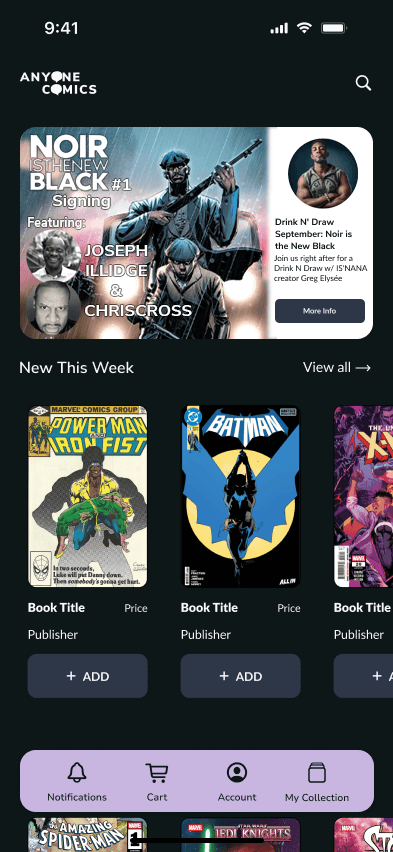
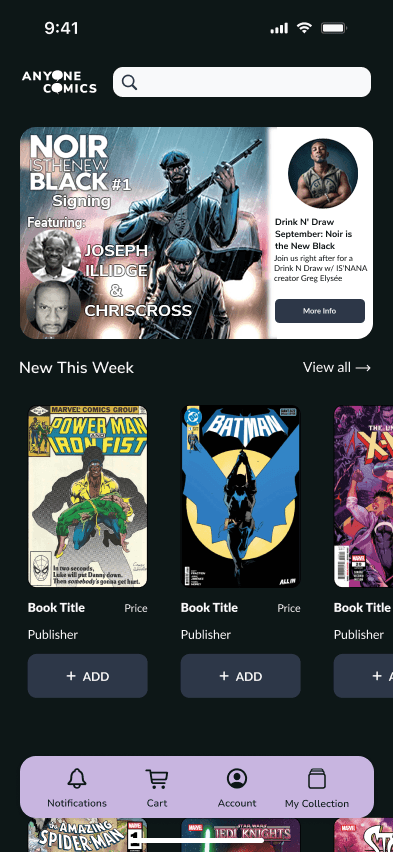
Products would be surfaced directly on the Home screen, organized to reflect browsing patterns customers use in store. The path to discovery would go from multiple taps to a single scroll.
Before

After
Problem #2: Search was hard to find
The search function is buried behind 2 screens, with 2 additional taps required just to see results. For customers browsing casually, that friction was enough to abandon the session entirely.
Solution
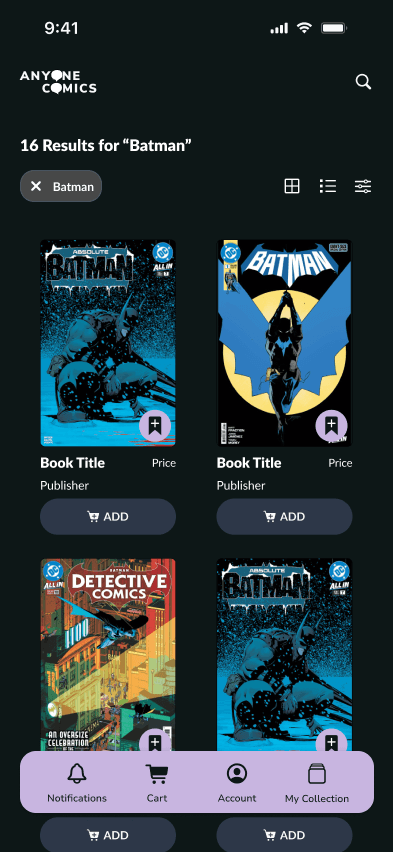
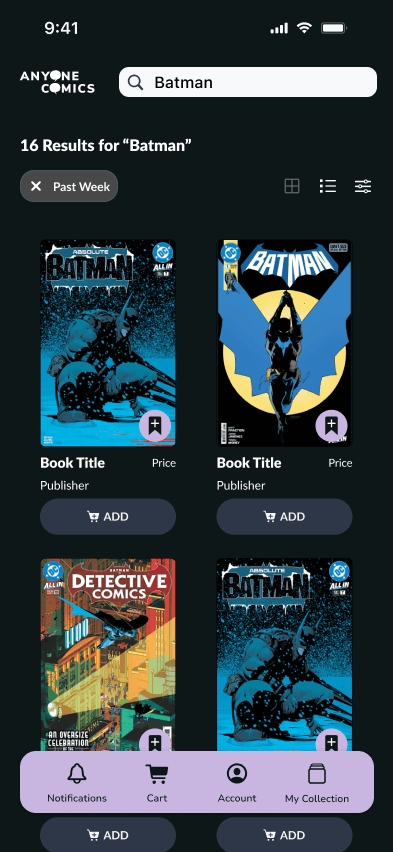
Search would be pinned to the top bar and reachable in one tap from anywhere in the app. Results would be organized into 16 item pages with filter chips that show what is active and clear in a single tap. Each product card would include a quick add button so customers could add to their Pull List without losing their place.
After
Problem #3: Technical Instability
The app suffers from a number of performance issues including random crashes and repeated results caused by auto loading. These issues were compounded for older customers who found the app hard to navigate.
“I think it just needs better coding. It is just not well made. Not a very intuitive app.” “He had added a lot of books through it and unfortunately the app did not speak to our system, so we did not have those books for him.”
— Store Employee
Finding
Backend failures with the app are a platform and engineering constraint outside the scope of the redesign. Surfacing this finding alongside the visual redesign and UX recommendations could help re-establish customer trust and improve sales performance for the store.
Opportunity Area: Branding Disconnect
ComicHub functions as the primary brand throughout the app, making the app feel like a generic platform rather than a partnership. The Contact Us feature for example connects customers directly to the ComicHub team rather than the comic shop itself.
Designer's Note
Introducing Anyone Comics’ branding alongside ComicHub would reframe the app as a store centered experience. This would create space for personalization by promoting in store events, highlighting inventory, and making the shop the primary point of contact.
Iterartions
From rough sketches to a navigation system that finally made sense
The iteration process moved from sketch to lo-fi to mockup, with each pass focused on reducing the number of taps needed to complete core flows. Search, browse, and checkout were the primary flows driving every design decision.
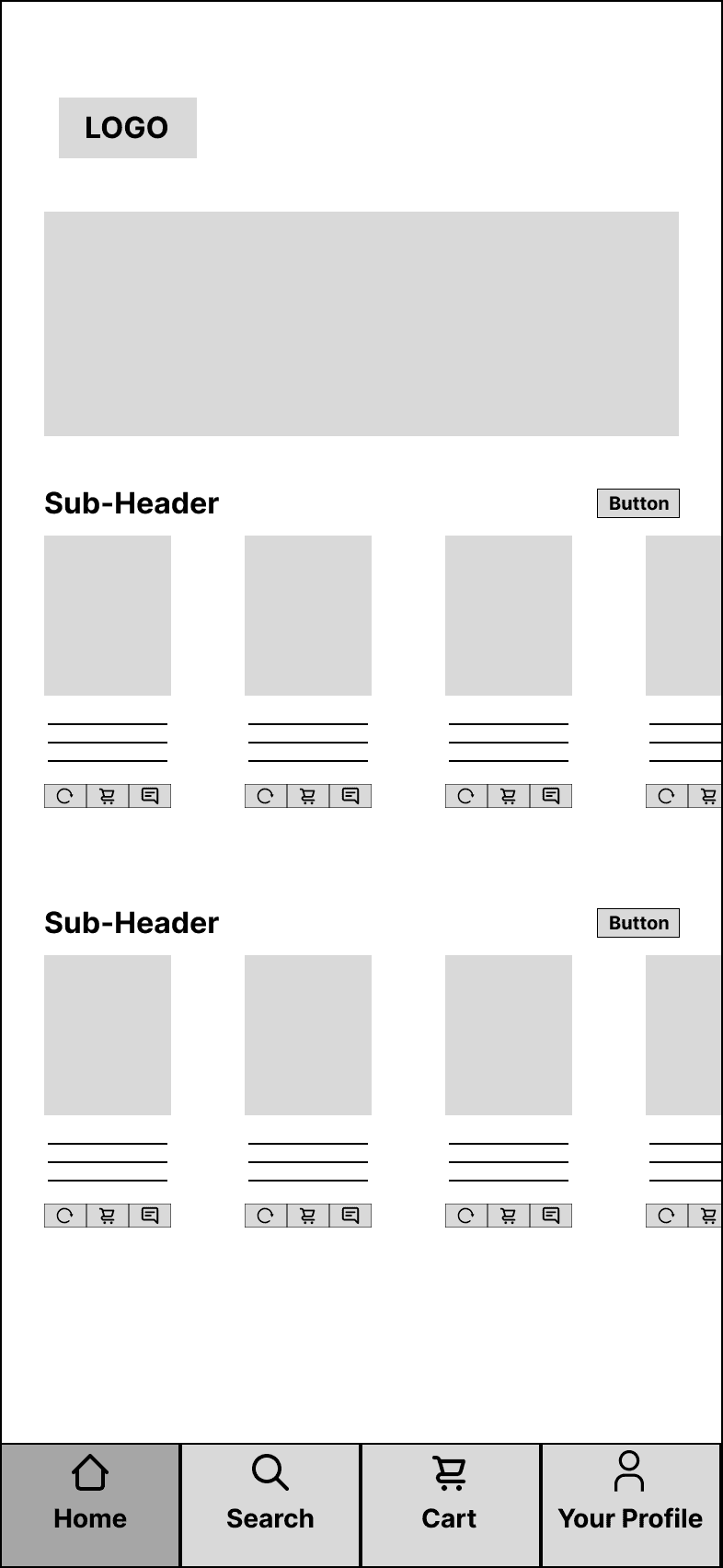
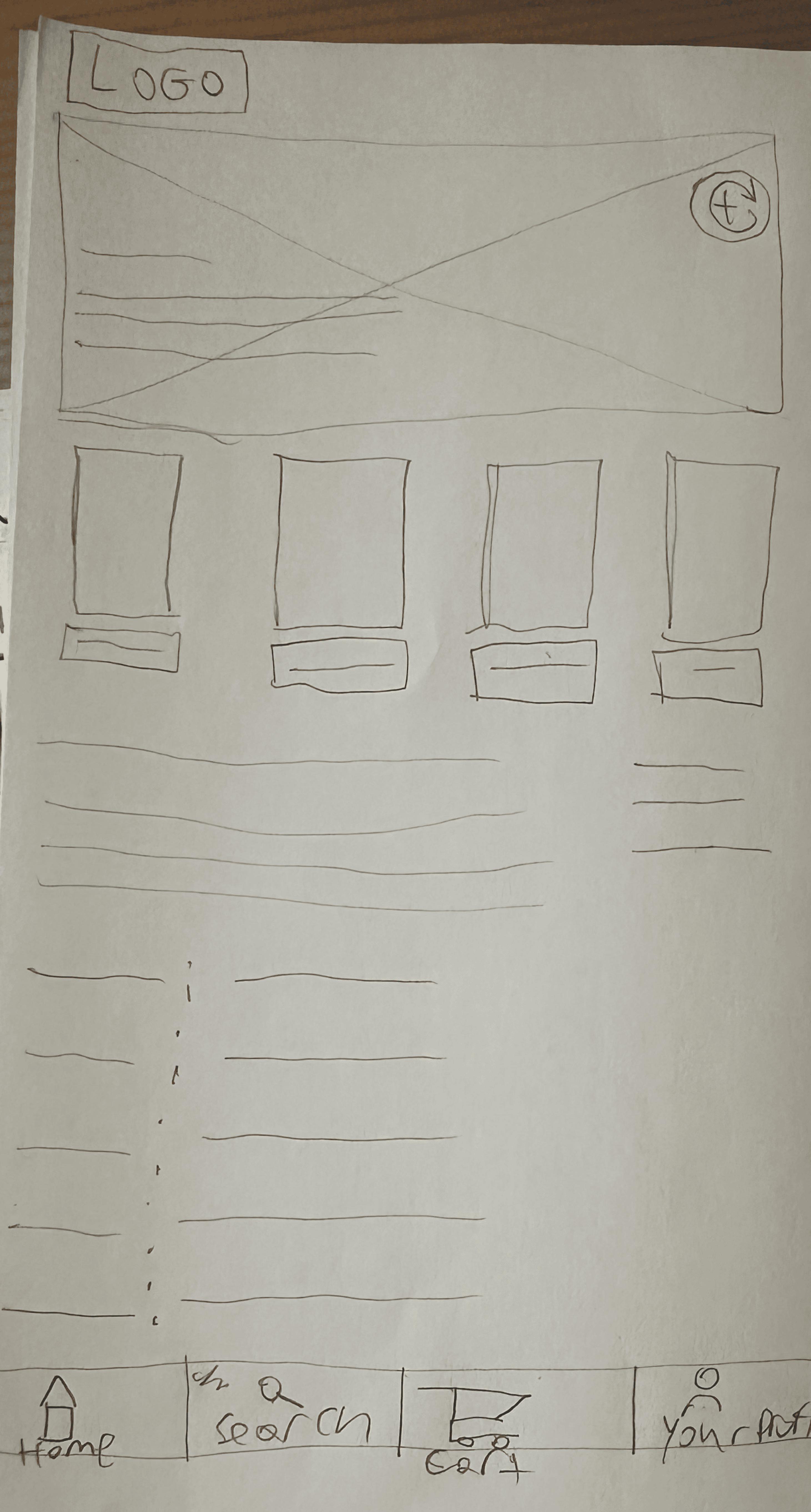
Key decisions across iterations include flattening the IA to remove redundant screens, moving search to the top level nav, introducing horizontal carousels for new releases and staff picks, and restructuring the bottom nav around key functions that users would need.
Final Designs
High Fidelity Design
Home
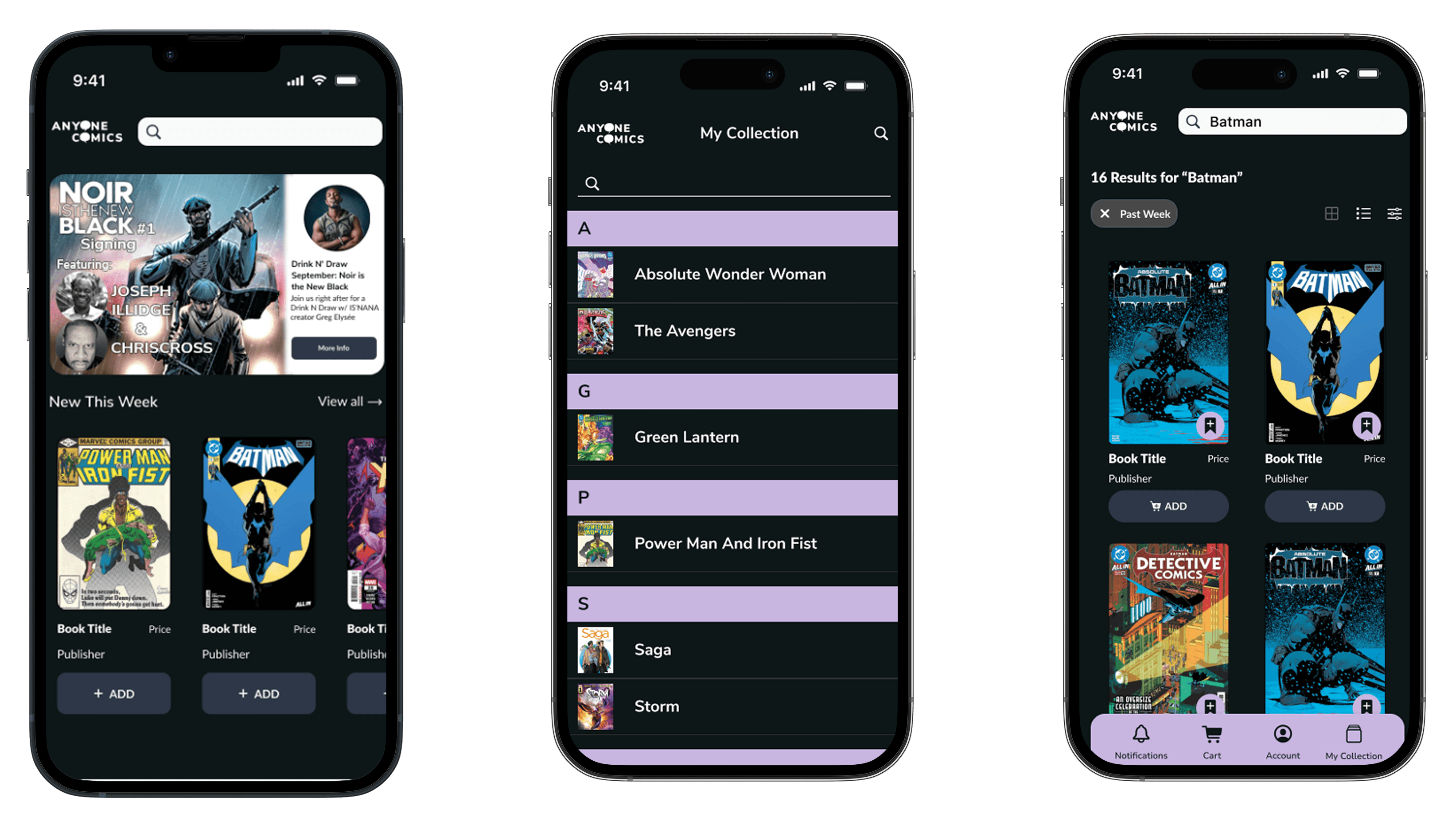
The redesigned Home screen surfaces products immediately on landing. A top level search bar, event promotions, new releases carousel, and last call for pre-orders give customers everything they need without a single extra tap.
Search and Browse
Search results are organized into 16 item pages with active filter chips, a grid and list view toggle, and a quick add Pull List button on every product card. Customers can browse and build their list without losing their place.
Product Detail Page
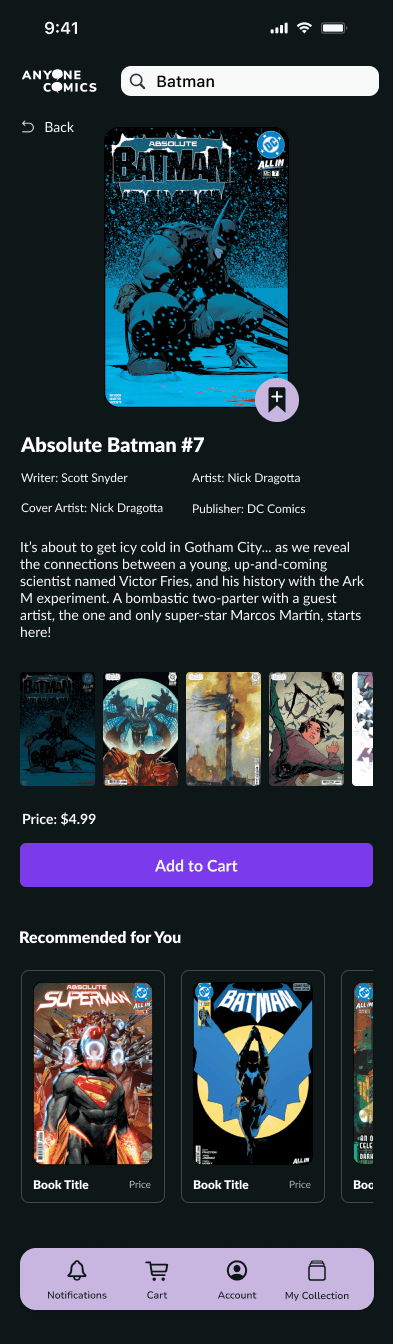
Each product page surfaces writer, artist, publisher, cover art, price, and synopsis in a single view. A ‘Recommended for You’ section at the bottom supports continued discovery without requiring a new search.
Account & Collection
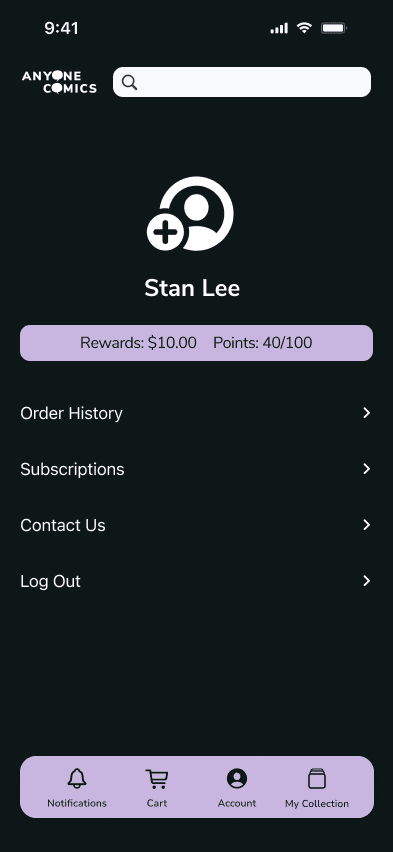
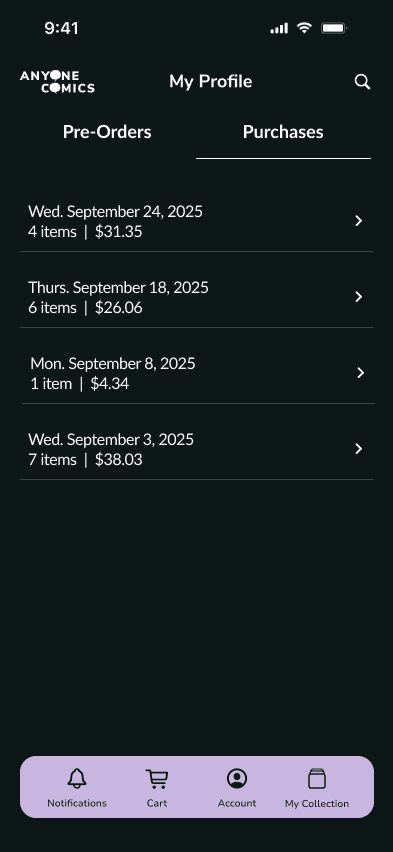
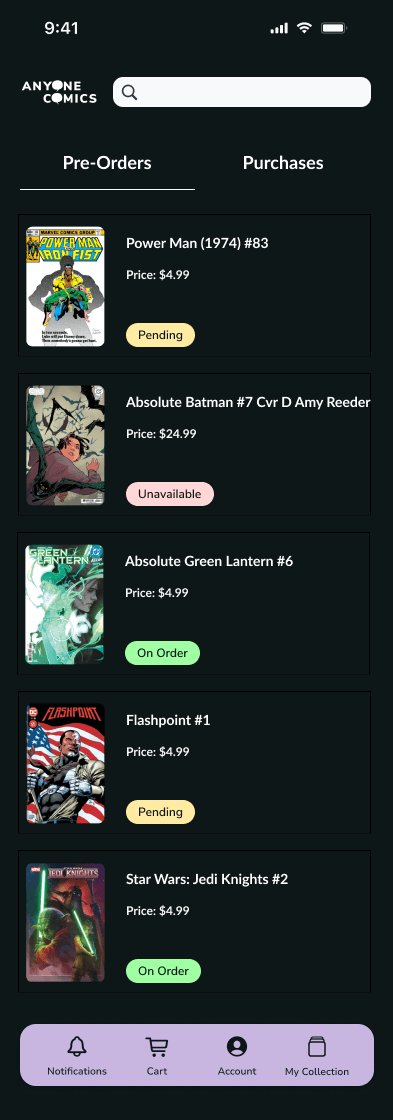
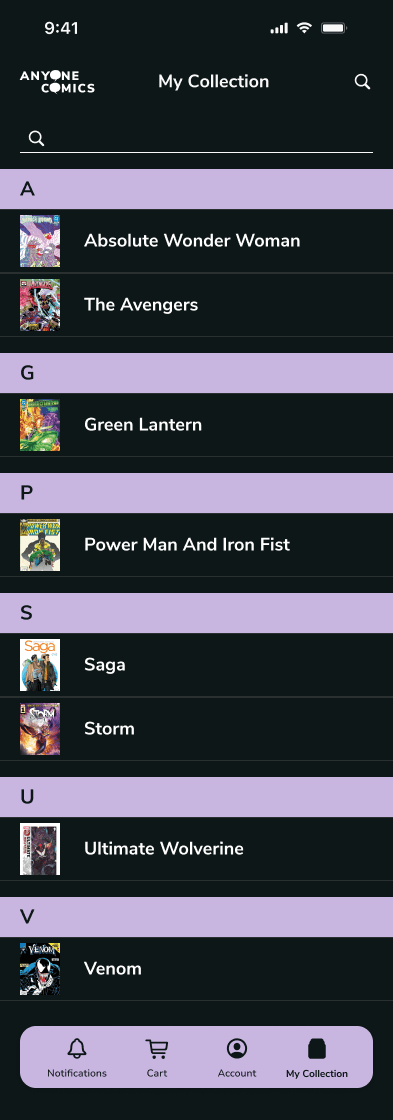
Order history, subscriptions, pre-orders, and collection tracking are brought together in one place. Customers get the operational visibility they need to manage books and orders reliably.
Key Takeaway
A lesson in connecting business and user needs
What started as a UX/UI redesign became an exploration into how deeply ComicHub can influence different areas of a business. It reminded me of the importance of connecting the dots not just for users, but for the business as well. When a solution benefits customers, the business often benefits in equal measure.
Next Steps